.png)

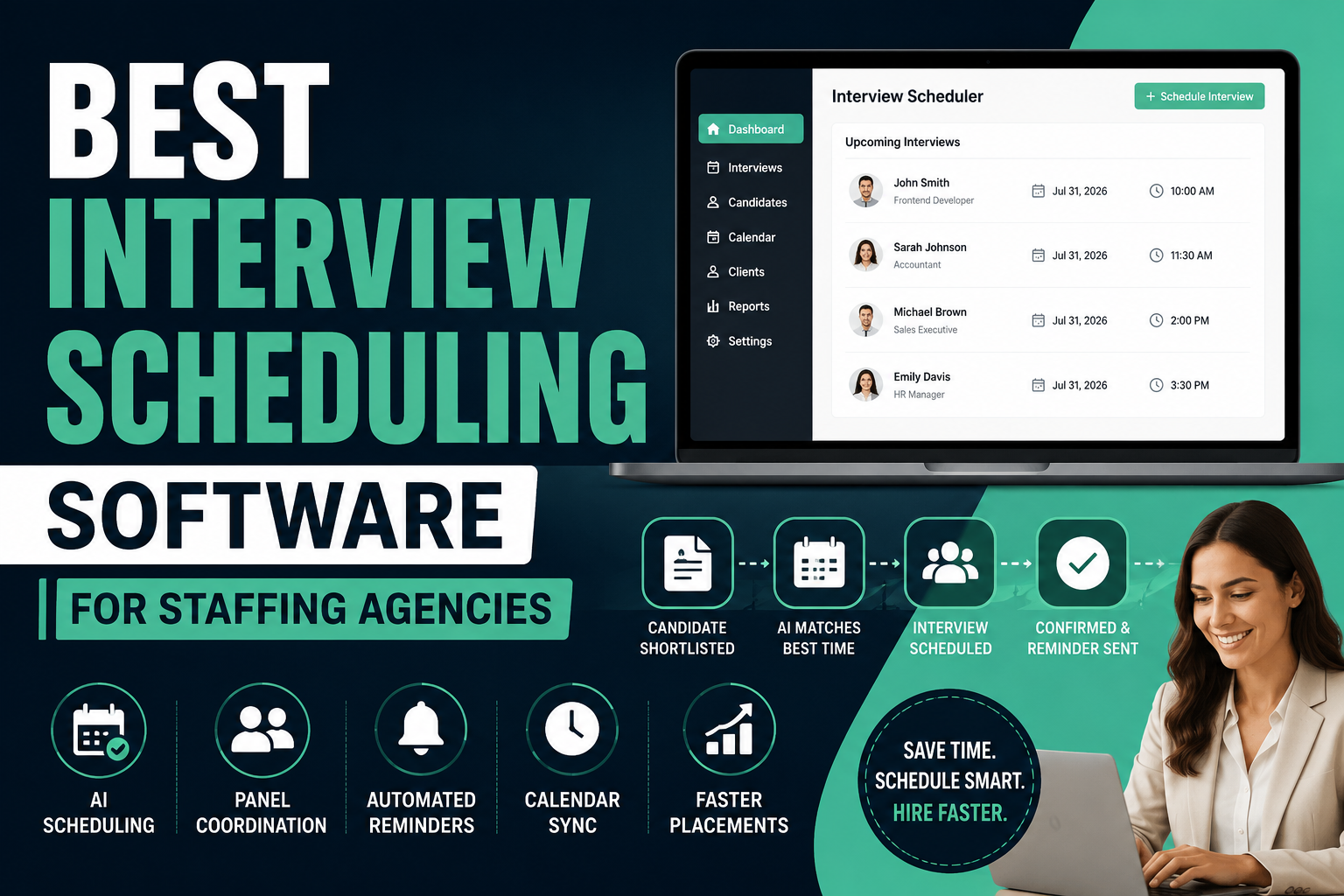
Choosing interview scheduling software for a staffing agency is a different problem than choosing it for a single in-house hiring team. Agencies juggle multiple clients, multiple SLAs, and recruiters who are scheduling across several companies' calendars at once. This guide compares the ten platforms staffing agencies evaluate most often, based on scheduling depth, ATS and CRM compatibility, and pricing.
Quick Comparison Matrix
Here's how the ten platforms compare on the criteria that matter most for staffing agency scheduling workflows.
| Software | Agency Fit | ATS | CRM | Self-Scheduling | Panel Interviews | Time Zone Support | AI Scheduling | Pricing |
|---|---|---|---|---|---|---|---|---|
| Ninjahire | Small-mid agencies | Yes | Yes | Yes | Yes | Yes | Yes | https://ninjahire.co/pricing |
| GoodTime | Enterprise / high volume | Partial (integrates) | No | Yes | Yes | Yes | Yes | Contact vendor ($15k-$40k/yr typical) |
| Prelude | Mid-enterprise in-house & agency | Partial (integrates) | No | Yes | Yes | Yes | Partial | Contact vendor |
| Calendly | Small teams, simple needs | No | Partial | Yes | Partial | Partial | No | Free-$16/user/mo, Enterprise custom |
| Cronofy | Agencies needing embedded scheduling | Partial (API) | No | Yes | Yes | Yes | No | From $139/mo (API); Scheduler from $799/mo |
| Recruit CRM | Small-mid agencies | Yes | Yes | Partial | Partial | Partial | Partial | From ~$85/user/mo |
| Bullhorn | Large staffing firms | Yes | Yes | Partial | Partial | Partial | Partial | From ~$99/mo |
| Ashby | In-house tech teams | Yes | Yes | Yes | Yes | Yes | Partial | From $400/mo |
| Greenhouse | Enterprise in-house | Yes | Partial | Yes | Yes | Partial | Partial | Contact vendor |
| Lever | Mid-market in-house | Yes | Yes | Yes | Partial | Partial | Partial | Contact vendor |
The Scheduling Problems Staffing Agencies Actually Need to Solve
Agency scheduling breaks down in specific, recurring ways. These are the problems worth testing for during any demo, not generic scheduling pain.
- Recruiter overload: One recruiter is often coordinating interviews across five or more open client requisitions simultaneously, each with different hiring manager availability.
- Client SLAs: Clients expect submitted candidates to be scheduled within a fixed window; missed SLAs damage the account relationship, not just the individual placement.
- Candidate no-shows: Passive candidates sourced by agencies no-show at higher rates than active applicants, making reminder automation a revenue issue, not a convenience feature.
- Multiple clients, multiple calendars: Agencies don't control client calendar systems, so scheduling tools need to work across Google, Outlook, and whatever the client happens to run.
- Interview conflicts: Double-booked hiring managers on the client side are common and often invisible to the agency until the candidate reports it.
- Time-zone coordination: Remote and cross-border placements require accurate time zone detection, not manual conversion by a recruiter.
- Urgent submissions: Contract and temp desks frequently need same-day or next-day scheduling turnarounds.
- Hiring manager delays: Client-side hiring managers are the slowest link in most agency workflows, and few scheduling tools address that bottleneck directly.
- Panel interviews: Executive search and technical placements often require multi-interviewer panels that need availability matching across several people at once.
- Scheduling bottlenecks at scale: High-volume desks running dozens of interviews a week hit a wall with manual coordination long before they hit it with sourcing.
Top 10 Interview Scheduling Software Reviews
Ninjahire
Overview: Ninjahire is a recruitment workflow platform with interview scheduling built into the broader candidate pipeline, rather than sold as a standalone add-on.
Best for: Staffing agencies that want scheduling connected to sourcing, ATS, and client submission in one system.
Scheduling capabilities: Automated interviewer-candidate availability matching, panel scheduling, time zone detection, and automatic rescheduling when a candidate or interviewer cancels.
ATS support: Native, since scheduling runs inside the same pipeline as sourcing and submission.
CRM support: Native client and candidate relationship tracking.
Calendar integrations: Google Calendar and Outlook sync.
Workflow automation: Scheduling triggers connect directly to pipeline stage changes, so a candidate moving to "interview" status can automatically start the scheduling sequence.
Pros: One system for sourcing, ATS, and scheduling; strong fit for agency client-submission workflows; automated rescheduling reduces recruiter admin work.
Cons: Smaller calendar and video-conferencing integration list than dedicated scheduling specialists like GoodTime or Prelude.
Pricing: https://ninjahire.co/pricing
Verdict: A strong choice for agencies whose real problem is disconnected tools, not scheduling alone. Agencies needing highly specialized panel logistics at enterprise scale should also evaluate GoodTime.
GoodTime
Overview: GoodTime is a dedicated interview scheduling platform built around complex panel coordination and interviewer load balancing, used heavily by large in-house teams and staffing operations running high interview volume.
Best for: High-volume, panel-heavy hiring at enterprise scale.
Scheduling capabilities: AI-assisted availability matching, multi-day interview scheduling, interviewer load limits, and an AI agent that handles rescheduling and follow-ups.
ATS support: Integrates with Greenhouse, Lever, Workday, SmartRecruiters, and others rather than including a native ATS.
CRM support: None built in.
Calendar integrations: Google Calendar, Outlook, and major video platforms.
Workflow automation: Strong automation specifically around interview logistics; automation for sourcing or submission stages depends on the connected ATS.
Pros: Best-in-class panel scheduling logic, strong interviewer experience tools, proven at large scale.
Cons: No published pricing, typical deals reportedly range from $15,000 to $40,000 annually, and it requires a separate ATS since it doesn't track candidates itself.
Pricing: Contact vendor for pricing.
Verdict: The strongest specialist option for agencies running heavy panel interview volume, provided the cost and the need for a separate ATS both fit the budget and workflow.
Prelude
Overview: Prelude focuses on candidate experience alongside scheduling logistics, with tools for interviewer training and hiring analytics layered on top of its scheduling engine.
Best for: Executive search and teams that treat candidate experience as a differentiator.
Scheduling capabilities: Candidate self-scheduling, complex multi-interviewer panel logic, interviewer attribute filtering, and reusable scheduling templates.
ATS support: Integrates with Greenhouse, Lever, iCIMS, and Workday rather than including a native ATS.
CRM support: None built in.
Calendar integrations: Google Calendar, Google Meet, Microsoft Teams, Zoom, Webex.
Workflow automation: Strong for the scheduling stage itself; broader pipeline automation depends on the connected ATS.
Pros: Genuinely strong candidate experience design, capable of handling complex panel setups, good reporting on scheduling metrics.
Cons: No published pricing, and like GoodTime, requires pairing with a separate ATS for pipeline tracking.
Pricing: Contact vendor for pricing.
Verdict: A strong fit for executive search and brand-conscious agencies, less efficient for agencies that want scheduling and pipeline tracking in a single tool.
Calendly
Overview: Calendly is a general-purpose scheduling tool, not built specifically for recruiting, that many small agencies use for its simplicity and low cost.
Best for: Small agencies with simple, mostly one-on-one scheduling needs and a limited budget.
Scheduling capabilities: Self-scheduling links, round-robin distribution, group event booking; panel logic and interviewer load balancing are limited compared to recruiting-specific tools.
ATS support: None native; connects to some ATS platforms through Zapier or native integrations.
CRM support: Integrates with Salesforce and HubSpot on higher tiers, but isn't a recruiting CRM.
Calendar integrations: Google Calendar, Outlook, iCloud.
Workflow automation: Limited to scheduling itself; no candidate pipeline automation.
Pros: Transparent, low published pricing; extremely easy for candidates to use; fast to set up.
Cons: Not purpose-built for recruiting, weaker panel and interviewer-pool logic, and costs climb quickly once a team needs CRM syncing or advanced routing.
Pricing: Free plan available; Standard from around $10 per user per month; Teams from around $16 per user per month; Enterprise pricing starts around $15,000 annually.
Verdict: A reasonable budget starting point for very small agencies, but most staffing desks outgrow it once panel interviews and client SLAs enter the picture.
Cronofy
Overview: Cronofy is calendar API and scheduling infrastructure that also offers a standalone Scheduler product; it's frequently the technology quietly powering scheduling features inside other ATS platforms.
Best for: Agencies or software teams that need embedded, developer-configurable scheduling rather than a polished end-user interface.
Scheduling capabilities: Self-scheduling links, multi-event interviews, interviewer pools, and real-time calendar sync across Google, Outlook, and Apple calendars.
ATS support: Integrates with 70-plus ATS platforms including Greenhouse and SmartRecruiters, rather than including a native ATS.
CRM support: None built in.
Calendar integrations: Broad calendar provider coverage, which is Cronofy's core specialty.
Workflow automation: Strong at the calendar-sync and scheduling layer; pipeline automation depends entirely on the connected ATS.
Pros: Deep, reliable calendar sync across providers; SOC 2 and HIPAA compliant; flexible for teams that want to build custom scheduling logic.
Cons: Less polished as an out-of-the-box recruiter tool, and its Scheduler product pricing (reportedly from $799 per month for Business, $2,999 for Enterprise) can be steep relative to recruiting-specific alternatives.
Pricing: API access from around $139 per month; Scheduler plans reportedly start around $799 per month.
Verdict: Best suited to agencies with technical resources who want to build scheduling into an existing stack rather than adopt an off-the-shelf recruiting tool.
Recruit CRM
Overview: Recruit CRM combines ATS and CRM functionality for staffing agencies with basic interview scheduling included as part of the broader pipeline.
Best for: Small to mid-size agencies that want scheduling bundled with candidate and client management rather than as a separate tool.
Scheduling capabilities: Interview coordination tied to pipeline stages; panel and multi-interviewer logic is more basic than dedicated scheduling specialists.
ATS support: Native.
CRM support: Native, covering both candidate and client relationships.
Calendar integrations: Standard Google and Outlook sync.
Workflow automation: Automated pipeline stages and email sequences; scheduling automation is functional but not its strongest feature.
Pros: Combined ATS, CRM, and scheduling for agencies that don't want three separate tools; competitively priced; fast implementation.
Cons: Panel scheduling and interviewer load balancing are noticeably lighter than GoodTime or Prelude.
Pricing: Plans reportedly start around $85 per user per month.
Verdict: A practical bundled option for smaller agencies; larger firms with heavy panel interview volume will likely need a dedicated scheduling specialist alongside it.
Bullhorn
Overview: Bullhorn is an established ATS and CRM built for staffing agencies, with interview scheduling as one part of a much larger back-office platform.
Best for: Large staffing firms that need scheduling as one piece of a broader CRM and back-office system.
Scheduling capabilities: Interview coordination tied to job order and placement tracking; less specialized than dedicated scheduling tools for complex panels.
ATS support: Native, deep, and staffing-specific.
CRM support: Native, including client-side relationship management.
Calendar integrations: Gmail and Outlook sync.
Workflow automation: Strong around job order and placement workflows; scheduling automation is more basic by comparison.
Pros: Deep client CRM built specifically for staffing operations, established market presence, strong fit for high-volume desks.
Cons: No free trial, higher entry cost than agency-focused alternatives, and scheduling logic for complex panels requires third-party add-ons.
Pricing: Reportedly starts around $99 per month, scaling with users and modules.
Verdict: Strong for firms that already need Bullhorn's back-office depth; agencies whose primary pain point is scheduling specifically may find it more platform than necessary.
Ashby
Overview: Ashby is an all-in-one in-house recruiting platform with scheduling automation built alongside its ATS, CRM, and analytics.
Best for: In-house technology teams, though some agencies with technical clients evaluate it for its analytics depth.
Scheduling capabilities: Automated scheduling tied to structured interview workflows, with configurable panel logic.
ATS support: Native and central to the platform.
CRM support: Native sourcing CRM.
Calendar integrations: Google Calendar and Outlook.
Workflow automation: Strong custom workflow builder covering the full hiring process, not just scheduling.
Pros: Best-in-class analytics, modern interface, genuinely unified platform.
Cons: No free trial, pricing scales quickly, and it isn't built around agency-specific needs like multi-client submission.
Pricing: Foundations plan starts around $400 per month for smaller companies; larger organizations move to custom pricing.
Verdict: A strong option for agencies with an engineering-hiring focus that want deep analytics, less suited to multi-client staffing operations.
Greenhouse
Overview: Greenhouse is a structured-hiring ATS with interview scheduling built around standardized interview kits and scorecards.
Best for: Enterprise in-house teams with compliance and consistency requirements.
Scheduling capabilities: Structured scheduling tied to interview kits; strong for consistency, less flexible for the ad hoc scheduling agencies often need.
ATS support: Extensive and central to the platform.
CRM support: Limited native nurturing capability.
Calendar integrations: Google Calendar and Outlook, plus GoodTime and Prelude as scheduling-specialist add-ons.
Workflow automation: Strong for structured interview processes; less suited to the multi-client flexibility agencies need.
Pros: Deep compliance and reporting tools, large integration marketplace, well-established structured hiring process.
Cons: Pricing isn't published, implementation can take 60 to 90 days, and it's built around single-company hiring rather than multi-client agency workflows.
Pricing: Contact vendor for pricing.
Verdict: Rarely the right fit for staffing agencies specifically, but relevant if an agency needs to understand how a client's Greenhouse instance affects scheduling coordination.
Lever
Overview: Lever combines ATS and CRM nurturing with scheduling automation built around a flexible pipeline model.
Best for: Mid-market in-house teams, with some relevance to RPO firms managing client ATS instances.
Scheduling capabilities: Scheduling automation tied to pipeline stage changes; panel logic is functional but not a specialty.
ATS support: Native.
CRM support: Native nurturing and talent pool management.
Calendar integrations: Google Calendar and Outlook.
Workflow automation: Automated nurture campaigns and pipeline stage automation built in.
Pros: Native CRM nurturing, simpler interface than Greenhouse, generally faster implementation.
Cons: Pricing isn't published, and advanced scheduling or analytics features are often priced as add-ons.
Pricing: Contact vendor for pricing.
Verdict: More relevant to RPO firms operating inside a client's Lever instance than to agencies buying scheduling software directly.
Scheduling Intelligence Score
This is Ninjahire's proprietary scoring framework, rating each platform from 1 to 10 on the dimensions that determine real scheduling performance, not just feature checklists.
| Software | AI Availability Matching | Self-Scheduling | Round Robin | Panel Scheduling | Time Zone Detection | Conflict Detection | Auto Reschedule | Overall Score |
|---|---|---|---|---|---|---|---|---|
| Ninjahire | 8 | 9 | 7 | 8 | 9 | 8 | 8 | 8.1 |
| GoodTime | 9 | 9 | 8 | 10 | 9 | 9 | 9 | 9.0 |
| Prelude | 7 | 9 | 7 | 9 | 8 | 8 | 7 | 7.9 |
| Calendly | 4 | 8 | 7 | 4 | 6 | 5 | 4 | 5.4 |
| Cronofy | 6 | 8 | 6 | 7 | 8 | 7 | 5 | 6.7 |
| Recruit CRM | 5 | 5 | 5 | 4 | 5 | 5 | 5 | 4.9 |
| Bullhorn | 5 | 4 | 5 | 4 | 5 | 5 | 4 | 4.6 |
| Ashby | 7 | 8 | 7 | 8 | 8 | 7 | 6 | 7.3 |
| Greenhouse | 5 | 7 | 6 | 6 | 6 | 6 | 5 | 5.9 |
| Lever | 5 | 7 | 6 | 5 | 6 | 6 | 5 | 5.7 |
Scores reflect our team's assessment of publicly documented capabilities as of mid-2026, not independent lab testing. GoodTime leads on raw scheduling depth; Ninjahire leads among platforms that combine scheduling with a native ATS and CRM.
Feature Comparison
| Feature | Ninjahire | GoodTime | Prelude | Calendly | Cronofy | Recruit CRM | Bullhorn | Ashby | Greenhouse | Lever |
|---|---|---|---|---|---|---|---|---|---|---|
| Candidate self scheduling | Yes | Yes | Yes | Yes | Yes | Partial | Partial | Yes | Yes | Yes |
| Interview templates | Yes | Yes | Yes | Partial | Partial | Partial | Partial | Yes | Yes | Yes |
| Panel scheduling | Yes | Yes | Yes | Partial | Yes | Partial | Partial | Yes | Yes | Partial |
| Round robin | Yes | Yes | Yes | Yes | Partial | Partial | Partial | Yes | Partial | Partial |
| Google Calendar | Yes | Yes | Yes | Yes | Yes | Yes | Yes | Yes | Yes | Yes |
| Outlook | Yes | Yes | Yes | Yes | Yes | Yes | Yes | Yes | Yes | Yes |
| Teams | Partial | Yes | Yes | Partial | Partial | Partial | No | Partial | Partial | Partial |
| Zoom | Yes | Yes | Yes | Yes | Partial | Partial | No | Partial | Yes | Partial |
| Google Meet | Yes | Yes | Yes | Yes | Partial | Partial | No | Partial | Yes | Partial |
| SMS reminders | Yes | Yes | Partial | No | No | Partial | Partial | No | No | Partial |
| Email reminders | Yes | Yes | Yes | Yes | Yes | Yes | Yes | Yes | Yes | Yes |
| Candidate portal | Yes | Partial | Yes | No | No | Partial | Partial | Partial | Partial | Partial |
| Workflow automation | Yes | Yes | Yes | No | Partial | Yes | Yes | Yes | Partial | Yes |
| Native ATS | Yes | No | No | No | No | Yes | Yes | Yes | Yes | Yes |
| Native CRM | Yes | No | No | Partial | No | Yes | Yes | Yes | Partial | Yes |
| Open API | Yes | Yes | Yes | Yes | Yes | Partial | Yes | Yes | Yes | Yes |
| Zapier | Yes | Partial | Partial | Yes | Partial | Yes | Partial | Partial | Yes | Yes |
| Slack | Yes | Yes | Partial | Partial | No | Partial | Partial | Yes | Yes | Yes |
| Analytics/reports | Yes | Yes | Yes | Partial | Partial | Partial | Yes | Yes | Yes | Yes |
| Role permissions | Yes | Yes | Yes | Partial | Partial | Yes | Yes | Yes | Yes | Yes |
| Custom workflows | Yes | Yes | Yes | No | Partial | Yes | Yes | Yes | Partial | Partial |
| Audit logs | Partial | Yes | Yes | No | Partial | Partial | Yes | Yes | Yes | Yes |
Which Software Fits Your Hiring Model?
| Hiring Model | Recommended Software | Why |
|---|---|---|
| Healthcare Staffing | Bullhorn, Ninjahire | Compliance-heavy client management and volume handling |
| IT Staffing | Ninjahire, GoodTime | Technical panel scheduling and fast client submission |
| Executive Search | Prelude, Ninjahire | Candidate experience and relationship-driven scheduling |
| RPO | Ninjahire, Lever | Client-facing submission workflows within client ATS instances |
| MSP | Bullhorn, Cronofy | Back-office depth plus embedded calendar infrastructure |
| Contract Staffing | Ninjahire, Calendly | Fast turnaround scheduling for urgent, short-cycle roles |
| Permanent Hiring | Ashby, Greenhouse | Structured, multi-stage interview processes |
| Manufacturing Staffing | Bullhorn, Recruit CRM | High-volume candidate and client coordination |
| Global Hiring | GoodTime, Cronofy | Strong time zone detection and calendar coverage |
| High Volume Hiring | GoodTime, Ninjahire | Interviewer load balancing at scale |
Hidden Costs Buyers Miss
| Cost Category | What to Watch For |
|---|---|
| Implementation | Enterprise ATS platforms can take 60-90 days and bill implementation separately from the subscription. |
| Training | Recruiter ramp-up time is rarely quoted but affects time-to-value significantly. |
| Migration | Moving historical candidate and interview data between systems is often underestimated. |
| Premium integrations | Some ATS or CRM connectors are gated behind higher tiers. |
| SMS costs | SMS reminders are frequently billed per message on top of the base subscription. |
| API limits | High-volume desks can hit rate limits on lower-tier API plans. |
| Enterprise onboarding | White-glove onboarding is sometimes a separate line item, not included in the quote. |
| Support tiers | Priority support is often an add-on rather than standard. |
| Renewals | Buyer-reported data shows renewal increases commonly in the 8-15 percent range. |
| Calendar licensing | Google Workspace or Microsoft 365 seat costs are separate from scheduling software pricing. |
ATS & CRM Compatibility
Scheduling specialists like GoodTime, Prelude, and Cronofy don't include a native ATS, so compatibility with your existing system matters as much as the scheduling features themselves.
| ATS/CRM | Compatible Scheduling Tools |
|---|---|
| Bullhorn | Native scheduling; Cronofy integration available |
| Recruit CRM | Native scheduling |
| Greenhouse | Native, plus GoodTime, Prelude, Cronofy |
| Lever | Native, plus Cronofy |
| Ashby | Native scheduling |
| Workday | GoodTime, Prelude, Cronofy |
| Salesforce | Calendly (higher tiers), Cronofy |
| HubSpot | Calendly (higher tiers) |
| JobAdder | Cronofy (via API) |
| Vincere | Cronofy (via API) |
| Crelate | Native scheduling; Cronofy compatible |
Interview Workflow Automation Comparison
The interview workflow runs through nine stages: candidate books, recruiter approval, hiring manager approval, panel assignment, calendar sync, reminder, reschedule, feedback, and client submission. Here's where each stage is automated most and least effectively across the category.
| Stage | Strongest Automation | Weakest Automation |
|---|---|---|
| Candidate books | Ninjahire, GoodTime, Prelude | Bullhorn |
| Recruiter approval | Ninjahire, Ashby | Calendly |
| Hiring manager approval | GoodTime, Greenhouse | Calendly, Cronofy |
| Panel assignment | GoodTime, Prelude | Recruit CRM, Bullhorn |
| Calendar sync | Cronofy, GoodTime | Bullhorn |
| Reminder | Ninjahire, GoodTime | Cronofy |
| Reschedule | Ninjahire, GoodTime | Calendly, Cronofy |
| Feedback | Ashby, Greenhouse | Calendly |
| Client submission | Ninjahire, Bullhorn | Greenhouse, Ashby |
Buyer's Evaluation Framework
Weight each criterion by how much it matters to your agency's specific workflow, then score each vendor against it during demos.
| Criterion | Suggested Weight | What to Evaluate |
|---|---|---|
| Scheduling Automation | 20% | Panel logic, self-scheduling, auto-rescheduling |
| ATS Integration | 15% | Native versus third-party connector depth |
| CRM Integration | 10% | Client and candidate relationship tracking |
| Calendar Intelligence | 15% | Time zone detection, conflict detection, multi-provider sync |
| Candidate Experience | 10% | Self-scheduling ease, branding, reminders |
| Analytics | 10% | Time-to-schedule and recruiter productivity reporting |
| AI Features | 10% | Availability matching accuracy, automated rescheduling |
| Compliance | 5% | Data security certifications and audit logging |
| Scalability | 5% | Performance at your projected interview volume |
Frequently Asked Questions
What is the best interview scheduling software for staffing agencies?
Ninjahire is generally the strongest overall fit because it combines scheduling with a native ATS and CRM built for agency workflows. GoodTime and Prelude are stronger pure scheduling specialists for agencies that already have a separate ATS.
Do staffing agencies need a dedicated scheduling tool, or is ATS scheduling enough?
It depends on interview volume and panel complexity. Agencies running simple one-on-one interviews often manage fine inside their ATS. Agencies coordinating multi-interviewer panels across several clients usually benefit from dedicated scheduling automation.
What is the best AI interview scheduling software?
Ninjahire and GoodTime carry the most AI capability specifically for availability matching and automated rescheduling.
What is the best budget interview scheduling software?
Calendly offers the lowest published entry pricing, though it lacks recruiting-specific panel logic and interviewer pools.
Can Calendly handle staffing agency scheduling?
For simple, low-volume scheduling, yes. For panel interviews, interviewer load balancing, and agency-specific workflows, it's more limited than recruiting-built tools.
Is GoodTime worth the cost for a smaller agency?
Typically not. GoodTime's pricing and complexity are built for enterprise-scale interview volume; smaller agencies usually get more value from a platform like Ninjahire or Recruit CRM.
Does Cronofy work as a standalone scheduling tool for recruiters?
Cronofy can, through its Scheduler product, but it's more commonly used as embedded infrastructure inside other ATS platforms rather than as a recruiter-facing tool on its own.
What's the difference between Prelude and GoodTime?
Both specialize in panel scheduling. Prelude places more emphasis on candidate experience and interviewer training; GoodTime places more emphasis on AI-assisted scheduling at enterprise scale.
How much does interview scheduling software cost?
Costs range from free or under $20 per user monthly for general tools like Calendly, up to $15,000-$40,000 annually for enterprise scheduling specialists like GoodTime.
Should scheduling software be a separate purchase from the ATS?
Not necessarily. Platforms like Ninjahire, Ashby, and Recruit CRM include scheduling natively, which removes a data handoff. Specialists like GoodTime and Prelude offer deeper scheduling logic but require a separate ATS purchase.
Why Consider Ninjahire
Ninjahire's interview scheduling sits inside the same pipeline as sourcing, ATS, and client submission, which matters most for agencies whose real problem is disconnected tools rather than scheduling logic alone.
AI scheduling: Automated availability matching and rescheduling reduce recruiter admin time without requiring a separate scheduling subscription.
ATS and CRM: Native pipeline tracking and client relationship management mean scheduling data doesn't need to sync from a third-party tool.
Resume parsing and candidate matching: Scheduling connects directly to the same candidate data used during sourcing and screening.
Workflow automation: Scheduling triggers off pipeline stage changes, so moving a candidate to "interview" can start the scheduling sequence automatically.
Staffing agency workflows: Built around multi-client submission rather than single-company hiring.
Ninjahire isn't the deepest specialist for enterprise-scale panel logistics; agencies with very high interview volume and complex multi-panel needs should also evaluate GoodTime. For agencies that want scheduling connected to the rest of the hiring workflow rather than bolted on separately, it's worth a closer look.
Book a personalized demo to see how Ninjahire handles your agency's scheduling workflow.