.png)

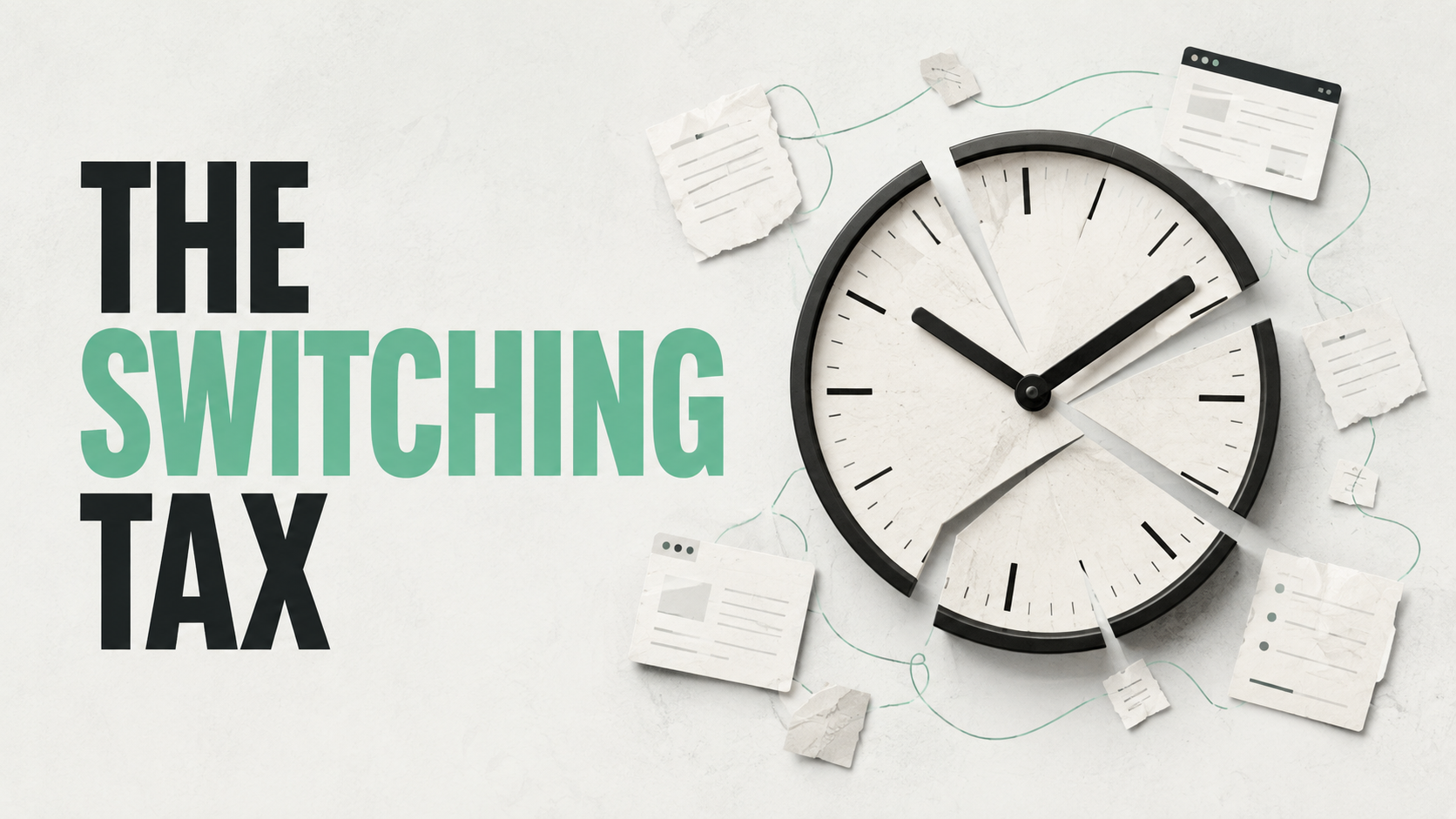
A recruiter opens the ATS at 8:40 a.m. to review three candidates for an open req. Before the first profile finishes loading, a candidate email comes in asking about salary range. Two minutes later, a hiring manager pings on Slack about a resume sent yesterday. Back to the ATS. A sourcing platform tab is still open from the day before, half a search unfinished. An interview needs to be moved thirty minutes, so it's over to the calendar, then back to email to notify the candidate, then back to the ATS to log the change. By 9:15, the recruiter has touched five systems and hasn't finished reviewing a single resume.
None of these tasks is unreasonable on its own. Candidates deserve answers. Hiring managers deserve responses. Interviews need to be scheduled. The problem isn't any individual task, it's the constant movement between them, and how rarely a recruiter gets an unbroken stretch of time to actually do the work of recruiting.
A recruiter can look busy for eight straight hours and still spend a surprisingly small share of that day in uninterrupted recruiting work. This article looks at why that happens, what it means for recruiter productivity, and how to estimate what it might be costing your team, including a calculator you can use with your own numbers.
What Is Context Switching in Recruiting?
Context switching in recruiting is the repeated act of stopping one task to handle another, then having to reorient before returning to the original task. It happens whenever a recruiter moves between the ATS, email, a sourcing tool, a calendar, or a conversation with a candidate or hiring manager, and it costs more than the time the switch itself takes.
It's easy to confuse this with multitasking, but the two aren't the same thing. Multitasking implies doing two things at once. In practice, almost nobody does that with complex cognitive work: what actually happens is a fast sequence of stops and starts. A recruiter reading a candidate's resume, then jumping to answer a Slack message, then returning to the resume, has not done two things simultaneously. They've done one thing, stopped, done a different thing, and then had to remember where they left off on the first one.
That last part, remembering where you left off, is where a lot of recruiter time management breaks down. A recruiter context switching between an ATS note, a candidate's LinkedIn profile, and an email thread isn't just paying for the seconds it takes to open each tab. They're paying for the mental reset every time they come back.
Why Recruiters Are Especially Vulnerable to Context Switching
Some roles are naturally more exposed to context switching recruitment patterns than others, and agency and in-house recruiting sit near the top of that list.
Multiple requisitions
Most recruiters aren't working one search at a time. They're juggling several open requisitions with different clients or hiring managers, different qualification criteria, and different stages in the pipeline, which means every switch between reqs also requires reloading a different set of requirements from memory.
Multiple stakeholders
Candidates, hiring managers, clients, account managers, and interviewers all have their own timelines and their own preferred channels. A recruiter's day is shaped as much by other people's schedules as by their own task list.
Tool fragmentation
The typical recruiter workflow touches an ATS, a CRM, one or more sourcing platforms, email, a calendar, spreadsheets, assessment tools, messaging apps, and interview scheduling software. Each one holds a piece of the picture, and none of them holds all of it.
Reactive communication
Recruiting is a service function. Candidates and hiring managers expect timely responses, which means recruiters are frequently pulled out of planned work to handle incoming requests. This isn't a sign of poor discipline, it's a structural feature of the job. Understanding that distinction matters, because the fix isn't "be more focused." It's redesigning the workflow itself.
The Recruiter Context-Switching Tax
We call the accumulated cost of this fragmentation the Recruiter Context-Switching Tax: the combined time, attention, and opportunity cost created when a recruiter repeatedly moves between unrelated tasks, tools, conversations, and systems. This isn't an established industry metric; it's a way we've found useful for breaking the problem into parts that can actually be measured.
Switch time is the literal time it takes to close one application and open another, or to end one conversation and start the next.
Reorientation time is the slower, less visible cost: the moment spent remembering where you were, what you were doing, and what the next step was supposed to be.
Opportunity cost is the recruiting work that could have happened during that fragmented stretch of time: a search that could have been finished, a candidate conversation that could have gone deeper, a submission that could have gone out sooner.
The visible part (the seconds spent switching tabs) is usually the smallest piece. The reorientation and opportunity cost are where most of the Recruiter Context-Switching Tax actually accumulates, and they're the hardest to see without deliberately looking for them.
The Recruiter Switch Map
To make this concrete, trace a single candidate through a typical day. This is the Recruiter Switch Map, a simple way to visualize how many systems and people a single task touches before it's done.
Count the arrows. Each one represents a moment the recruiter left the work they were doing to complete the next step. The goal of mapping this out isn't to eliminate every system a recruiter touches, some of that movement is genuinely necessary. The goal is to find the transitions that don't need to exist: the step where information gets copied from the ATS into a spreadsheet by hand, or the follow-up that requires opening email instead of sending directly from the candidate record.
Where Context Switching Happens in Recruiting
Recruiter workflow fragmentation tends to cluster around a handful of recurring situations. Here's what that typically looks like in practice.
| Recruiting Situation | Typical Switches | Potential Impact |
|---|---|---|
| Candidate sourcing | Search platform → ATS | Sourcing gets interrupted mid-search |
| Candidate follow-up | ATS → email → candidate | Response delays |
| Client submission | Candidate record → CV → email | Duplicate work |
| Interview scheduling | Email → calendar → ATS | Coordination overhead |
| Client feedback | Email → ATS → candidate | Pipeline delays |
| Candidate screening | CV → notes → ATS | Fragmented evaluation |
| Reporting | ATS → spreadsheet → dashboard | Administrative workload |
Sourcing is particularly vulnerable because it requires sustained attention: a recruiter builds a mental map of a search as they go, and every interruption means partially rebuilding that map on return. Submissions and scheduling, by contrast, tend to accumulate small switches that feel minor individually but add real recruiter time waste across a week. Reporting is its own category: pulling data from one system to manually rebuild it in another is pure administrative overhead with no direct recruiting value.
Calculate Your Recruiter's Context-Switching Cost
The sections above describe the problem in general terms. The tool below turns it into a number based on your own team's inputs. It's an estimate, not a scientific measurement, but it's a useful way to see the order of magnitude of the time involved.
Recruiter Context-Switching Cost Calculator
Estimate the direct time and potential labor cost tied up in switching. This does not measure the full cognitive cost of switching; it calculates an estimate based on the numbers you enter.
Illustrative calculation only. Actual switching and reorientation time varies by recruiter, workflow, and task complexity. The calculator estimates potential capacity tied up in switching. It does not predict how many placements those hours would produce. The value of the exercise is identifying which switches are unnecessary and which can potentially be reduced through workflow changes or automation.
If a team of ten recruiters runs 20 switches a day at two minutes each, that works out to roughly 40 minutes of daily switching time per recruiter, about 14 hours a month, or 140 hours across the team. At a $45 loaded hourly cost, that's an estimated $6,300 in monthly labor cost tied up in switching alone, equivalent to about 17.5 eight-hour workdays of team capacity. Your own numbers will differ, which is exactly the point of running the calculation with real inputs instead of relying on someone else's average.
Context Switching Is Not the Same as Being Busy
A recruiter can have 30 unread emails, ten open requisitions, twenty active candidate conversations, a few interviews on the calendar, and dozens of ATS updates to make, and still have a real efficiency problem. Busy is easy to see. Whether that busyness converts into results is harder to tell just by watching someone work.
It helps to separate three different things: activity (what a recruiter is doing), output (what gets produced: searches completed, candidates sourced, submissions made), and outcome (what it leads to: interviews, placements, revenue). High activity with fragmented attention can produce disappointing output even when the recruiter is working hard the entire day. This is the core reason recruiting productivity metrics built purely around hours logged or messages sent can be misleading.
The Hidden Costs Beyond Lost Minutes
The minutes lost to switching are the easiest cost to calculate, and probably not the most important one. A few costs tend to matter more in practice.
Missed follow-ups
A candidate who doesn't hear back within a reasonable window starts looking elsewhere. Fragmented days make it easy for a promised follow-up to slip.
Slower submissions
Every switch between qualifying a candidate and getting them in front of a client adds delay, and speed matters more in competitive searches than almost any other factor.
Data errors
Copying information between systems by hand, under time pressure, between other tasks, is a reliable way to introduce mistakes: wrong contact details, outdated notes, mismatched requirements.
Candidate experience problems
Candidates notice when a recruiter seems to be starting from zero on a call, asking questions that were already answered by email. That's a direct, visible symptom of context switching.
Slower decisions
Fragmented attention makes it harder to hold the full picture of a search in mind, which slows down judgment calls that require weighing several candidates against each other.
Less time for relationship-building
The parts of recruiting that depend most on human connection, understanding what a candidate actually wants, building trust with a hiring manager, need unbroken time. They're usually the first thing squeezed out.
It's also worth naming, carefully, that a day built entirely around interruption is more tiring than a day with the same workload arranged into longer blocks. That's a reasonable operational observation, not a clinical claim about burnout, but it's worth factoring into how a team designs its workflow.
How Context Switching Can Affect Recruiter Productivity
It's tempting to draw a straight line from context switching to a specific drop in placements, but that line doesn't really exist, too many other variables are involved. What can be said with more confidence is directional: fragmented attention can make it harder to source deeply, can slow down time to submit, and may reduce the number of focused hours available for the recruiting work that drives conversion.
Recruiter output, in a practical sense, shows up across a chain of metrics: candidate response rate, submission-to-interview rate, interview-to-offer rate, offer acceptance rate, placement rate, time to fill, and ultimately revenue per recruiter. Context switching doesn't touch all of these equally, and it doesn't guarantee a decline in any of them, but workflow friction at any point in that chain creates conditions where results can slip, even when everyone is working hard.
8 Common Sources of Recruiter Context Switching
1. Too many recruiting platforms
What happens: A single search might touch three or four separate sourcing tools. Why it creates switching: Each platform has its own interface and its own login. What can reduce it: Consolidating sourcing into fewer, better-integrated platforms.
2. Manual ATS updates
What happens: Every candidate interaction needs to be logged by hand. Why it creates switching: Logging happens after the fact, in a separate system from where the interaction occurred. What can reduce it: Logging activity automatically at the source.
3. Email-based follow-ups
What happens: Routine check-ins are written individually in an email client. Why it creates switching: Email lives outside the ATS, so context has to be reloaded each time. What can reduce it: Templated or triggered follow-ups sent from within the candidate record.
4. Spreadsheet tracking
What happens: A parallel spreadsheet tracks pipeline status alongside the ATS. Why it creates switching: Two systems of record means double entry. What can reduce it: Trusting a single source of truth for pipeline data.
5. Manual interview scheduling
What happens: Coordinating a time involves back-and-forth across email and calendar. Why it creates switching: Each exchange requires leaving the task at hand. What can reduce it: Self-service scheduling links tied to the ATS.
6. Candidate data duplication
What happens: The same candidate details get typed into a resume, an email, and the ATS. Why it creates switching: Nothing carries forward automatically. What can reduce it: Resume parsing that populates records directly.
7. Hiring-manager interruptions
What happens: Ad hoc questions arrive throughout the day outside any scheduled check-in. Why it creates switching: Reactive communication has no natural boundary. What can reduce it: Defined update cadences that reduce the need for one-off pings.
8. Switching between sourcing and administrative work
What happens: Deep sourcing work is regularly interrupted by unrelated admin tasks. Why it creates switching: Admin work tends to be reactive and time-sensitive, so it jumps the queue. What can reduce it: Batching admin work into set blocks instead of handling it as it arrives.
Which Recruiter Tasks Should Be Automated?
Not every task is a good automation candidate, and treating automation as a blanket solution creates its own problems. A more useful filter: automate when a task is high volume, repetitive, rule-based, time-consuming, and low risk if something goes slightly wrong.
Tasks that tend to fit that description include sourcing assistance, candidate rediscovery from an existing database, initial outreach, follow-up reminders, scheduling, resume parsing, status updates, and routine reporting.
Tasks that don't fit include candidate motivation, relationship building, nuanced qualification, client conversations, negotiation, and final hiring decisions. These depend on judgment and human read of a situation that automation isn't positioned to replace. The aim of recruiting automation is to support recruiters on the repetitive side of the job so more time is available for the parts that genuinely need a person.
The Problem With Adding More Recruiting Tools
The instinctive fix for a workflow problem is often to buy another tool. Sometimes that helps. Just as often, it adds a new destination to an already long list of stops, solving one problem while creating a new context switch.
The more useful question isn't "how many tools does this recruiter use." It's "how many times do they have to leave one system to complete the next step in a single task." A recruiter with five tools that talk to each other can move through a workflow with far less friction than a recruiter with three tools that don't.
That's the idea behind workflow consolidation: the goal isn't necessarily fewer tools in the tech stack. It's fewer unnecessary transitions between the tools and tasks that already exist.
Build a Lower-Switch Recruiting Workflow
Mapping a fragmented workflow against a leaner one makes the difference concrete.
The fragmented version routes the same underlying work through more systems than it needs to touch. The lower-switch version keeps the recruiter closer to a single line of work, with automation handling the repetitive transitions between steps where that's appropriate for a given team's actual tools and process, not as a claim that any one platform performs every step automatically.
How to Run a Recruiter Time Audit
Before changing a workflow, it helps to know what the current one actually looks like, not what it feels like from memory, but what happens over a representative week.
For each block of work, track: the task, start time, end time, tool used, reason for switching, whether judgment was required, whether it could realistically be automated, and whether the switch was planned or reactive. Then classify each entry as recruiting work, administrative work, coordination, tool switching, an interruption, or waiting.
This kind of recruiter time audit produces a far more reliable baseline than simply asking a recruiter whether they feel busy or productive; self-assessment tends to be shaped by how demanding the day felt, not by how the time actually broke down.
The 30-Minute Recruiter Workflow Audit
For a faster version, walk through a single day and answer eight questions:
- How many systems did you use today?
- How many times did you leave the ATS?
- How many times did you manually copy candidate information?
- How many follow-ups did you write manually?
- How many scheduling exchanges occurred?
- How often did a client message interrupt sourcing?
- How often did you return to an unfinished task?
- Which task created the most switching?
The most frequent switch isn't automatically the best automation opportunity. Prioritize the switches that are both frequent and expensive: the ones that happen often and take real reorientation time to recover from.
7 Ways to Reduce Context Switching for Recruiters
- Consolidate repetitive workflows. Group tasks that use the same tool or require the same mental mode instead of interleaving them.
- Reduce duplicate data entry. If the same candidate detail is typed into more than one system, that's a target for automation or integration.
- Automate routine follow-ups. Standard check-ins and status updates rarely need a human typing each one individually.
- Centralize candidate information. A single record a recruiter can trust removes the need to cross-reference multiple sources mid-task.
- Batch administrative work. Set fixed windows for reporting and data cleanup instead of handling it reactively throughout the day.
- Protect focused sourcing time. Block uninterrupted stretches for the work that depends most on sustained attention.
- Measure switching before and after workflow changes. Without a baseline, it's impossible to tell whether a change actually helped.
How to Measure Whether Your Changes Worked
Track a small set of metrics across four categories, comparing similar periods with similar workloads rather than assuming a change alone explains a shift in the numbers.
Time: admin hours, switching time, time to first submit.
Activity: candidates sourced, conversations, submissions.
Conversion: submission-to-interview, interview-to-offer, offer-to-placement.
Outcome: placements, hires per recruiter, revenue per recruiter.
Quality: candidate response, client satisfaction, data accuracy.
Avoid the temptation to manufacture an improvement percentage before you have real before-and-after data. It's better to report "we don't know yet" than a number that isn't grounded in anything measured.
Recruiter Context-Switching Scorecard
A simple before-and-after table, filled in with your own numbers, is a practical tracking framework, not an industry benchmark to compare yourself against.
| Metric | Before | After |
|---|---|---|
| Tools used daily | ||
| Estimated switches/day | ||
| Admin hours/week | ||
| Manual follow-ups/week | ||
| Manual scheduling hours | ||
| Time to first submit | ||
| Submissions | ||
| Interviews | ||
| Placements |
When Context Switching Is Actually Necessary
Not every switch is waste. An urgent client request, a candidate emergency, a last-minute interview problem, an offer negotiation, or a hiring-manager escalation all justify dropping what you're doing.
How AI and Automation Can Reduce Recruiter Context Switching
Used well, automation takes over the repetitive transitions in a recruiter's day rather than adding new ones. Practical use cases include sourcing support, candidate matching, outreach, follow-ups, initial screening, scheduling, candidate rediscovery, and status updates: the categories of recruiter admin work that follow predictable rules and don't require judgment about a specific person.
The realistic goal is reducing coordination work without removing recruiters from the decisions that matter. Automation doesn't guarantee better hiring outcomes, and it won't replace the judgment recruiters bring to qualifying a candidate or reading a room in a client conversation. What it can do is cut down the number of times a recruiter has to leave meaningful work to handle something routine, which is a direct way to support recruiter efficiency without asking anyone to simply work faster.
Run Your 30-Second Switch Audit
Quick Switching Load Check
An informal, educational diagnostic, not an industry benchmark. A score here doesn't prove you have a productivity problem. Use it as a prompt to look closer at your own workflow.
Frequently Asked Questions
What is context switching in recruiting?
Context switching in recruiting is the repeated act of stopping one task to handle another and then reorienting before returning to the first. It happens whenever a recruiter moves between the ATS, email, sourcing tools, or conversations with candidates and hiring managers throughout the day.
How does context switching affect recruiter productivity?
Context switching can reduce the time available for focused recruiting work by adding switch time, reorientation time, and lost opportunity cost to the day. It doesn't guarantee a specific drop in outcomes, but it can make it harder to source deeply, submit quickly, and respond to candidates without delay.
Why do recruiters switch between so many tools?
Recruiting workflows typically span an ATS, CRM, sourcing platforms, email, calendars, and messaging tools, each holding a different piece of the process. Multiple stakeholders and reactive communication add further switching on top of that baseline tool fragmentation.
How much time do recruiters lose to context switching?
This varies significantly by recruiter, workflow, and role, so there's no single universal figure that applies to every team. The calculator on this page lets you estimate switching time using your own team's numbers rather than relying on a generic industry average.
How can recruiters reduce context switching?
Common approaches include consolidating repetitive workflows, cutting duplicate data entry, automating routine follow-ups, centralizing candidate information, batching admin work, and protecting blocks of uninterrupted sourcing time. Measuring switching before and after any change helps confirm whether it actually helped.
How can you improve recruiter efficiency?
Improving recruiter efficiency generally means reducing unnecessary friction in the workflow, not simply asking recruiters to work faster. That includes lowering context switching, automating repetitive administrative tasks, and giving recruiters longer, more protected blocks of time for the work that requires sustained attention.
How do you measure recruiter performance?
Measuring recruiter performance means tracking a combination of time, activity, conversion, and outcome metrics rather than any single number. Useful metrics include time to fill, submissions, submission-to-interview rate, and placements per recruiter, tracked consistently over comparable periods.
How do you calculate recruiting efficiency?
There's no single formula that fits every team, since roles and search complexity vary widely. A practical approach combines output metrics like submissions and placements with time-based measures like the Recruiter Focus Ratio described above, tracked consistently rather than as a one-time snapshot.
How do you reduce recruiter administrative work?
Start by identifying which admin tasks are high volume, repetitive, and rule-based, since these are the strongest candidates for automation. Resume parsing, status updates, and routine reporting are common starting points that free up time without touching the judgment-based parts of the job.
What recruiting tasks should be automated?
Good candidates for automation are high volume, repetitive, rule-based, time-consuming, and low risk: sourcing support, candidate rediscovery, initial outreach, follow-up reminders, scheduling, and routine reporting all fit that description. Tasks involving nuanced judgment or relationship building are better left with recruiters.
Does using more recruiting software improve productivity?
Not automatically. Adding a tool can solve one problem while creating a new context switch if it doesn't connect well with the rest of the stack. The more useful question is how many times a recruiter has to leave one system to complete the next step in a single task, not how many tools they have access to.
What is a recruiter time audit?
A recruiter time audit is a structured tracking exercise where a recruiter logs tasks, tools, and switching reasons over a representative period, usually a week. It produces a more reliable picture of how time is actually spent than asking a recruiter to estimate it from memory.
Can AI reduce recruiter administrative work?
AI and automation can reduce time spent on repetitive, rule-based administrative tasks like status updates, follow-up reminders, and resume parsing. They aren't a guarantee of better hiring outcomes and work best when they support recruiter judgment rather than replace it.
How do you calculate the cost of context switching?
A basic estimate multiplies the number of switches per day by the average time per switch, then extends that across working days and the size of the team, optionally applying a loaded hourly cost. The calculator above runs this calculation using your own inputs rather than a generic assumption.
The Recruiter Focus Ratio
One more way to track this over time: the Recruiter Focus Ratio.
Focused recruiting hours can include sourcing, qualification, candidate conversations, client conversations, and decision-making, the work that most directly moves a search forward. There's no universal "good" number here, since it depends heavily on role and search complexity. The value comes from establishing your own baseline and tracking whether it moves in the direction you want after making workflow changes.
Related reading: if tool fragmentation is a recurring theme on your team, it's worth understanding the practical difference between a recruiting CRM vs ATS, how AI resume parsing software cuts down manual data entry, what separates an AI recruitment platform from a traditional ATS, and how the pieces of a modern AI recruiting stack fit together. For a broader look at evaluating your tech stack, see our staffing agency software guide.
Where This Leaves Your Team
The numbers above are meant to give you a starting point, not a verdict. If the calculator suggests your team is losing meaningful hours to switching, the next useful step is figuring out which of those switches are actually necessary and which ones exist only because the workflow makes them necessary.
Ninjahire is built around reducing that kind of unnecessary movement between tools, connecting sourcing, candidate records, and follow-up into a single workflow instead of a dozen separate ones.
Try Ninjahire Free